

Article: How to Load Your Pilot Kakuno with an Ink Cartridge
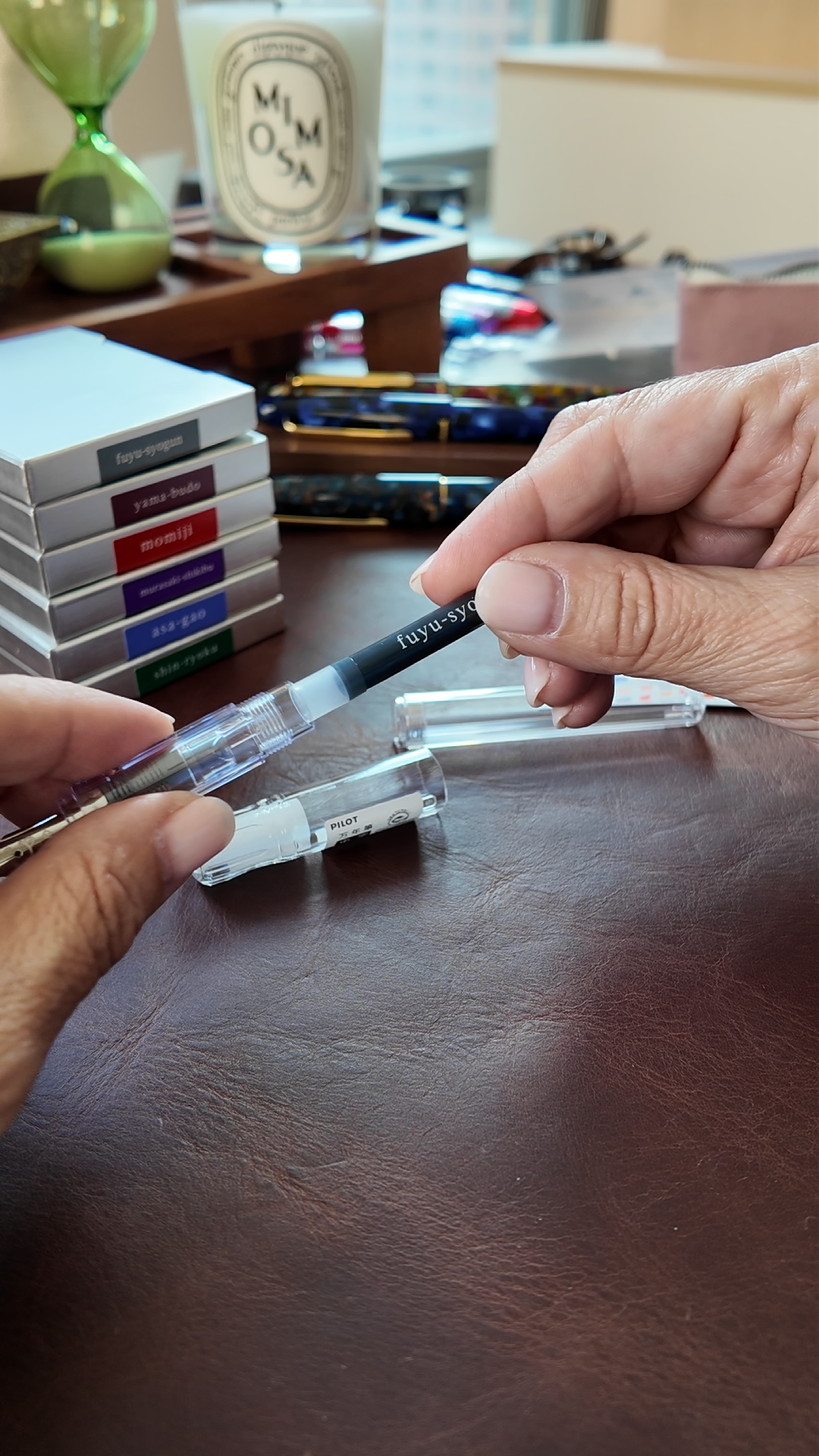
How to Load Your Pilot Kakuno with an Ink Cartridge
Here's how to load a Pilot Kakuno with an ink cartridge, start to finish.
What you need
Just two things: your Kakuno and a Pilot cartridge. Every Kakuno comes with one black cartridge in the box, so your first fill is covered. When you're ready for an upgrade select one of our Iroshizuku cartridges. We carry six colors named after morning glories, winter skies, autumn maples, to name a few, and they load exactly the same way.
Step 1: Unscrew the barrel
Hold the grip section (the part with the nib) in one hand and twist the barrel off with the other. Set the barrel aside — though this is a Kakuno, so its hexagonal shape means it won't roll away.

Step 2: Point the bigger end toward the nib
Look at your cartridge for a second before you load it. One end is bigger. The bigger end goes in toward the nib.

Step 3: Press until it clicks
Once the bigger end of the cartridge is loaded press it straight in, firmly. You'll feel a small click — that's the seal opening so ink can reach the nib.
Step 4: Give the ink a minute
Screw the barrel back on, cap the pen, and stand it nib-down for a few minutes while the ink makes its way to the nib. A first fill can take a few minutes. After that, a few gentle scribbles will get things flowing.
Swapping colors
When a cartridge runs dry — or when you're ready to trade black for one of our Iroshizuku cartridges - just unscrew the barrel and pull the old cartridge straight out. If you're changing colors, rinse the nib under cool water until the water runs clear. Let it dry before loading the new one.
That's really it. The Kakuno was designed to make it easy, and it keeps that promise. If you're still picking out your pen, come meet the Madoromi Kakuno — and if the pen is already in your hand, come find your first color. We'd love to help you get started.